Use this Google Forms vendor registration template to collect complete supplier details, business credentials, product information, and required documents in one organized workflow. The form comes with pre-built questions, an editable design, and a structure that can be customized for events, marketplaces, procurement programs, and ongoing vendor onboarding.
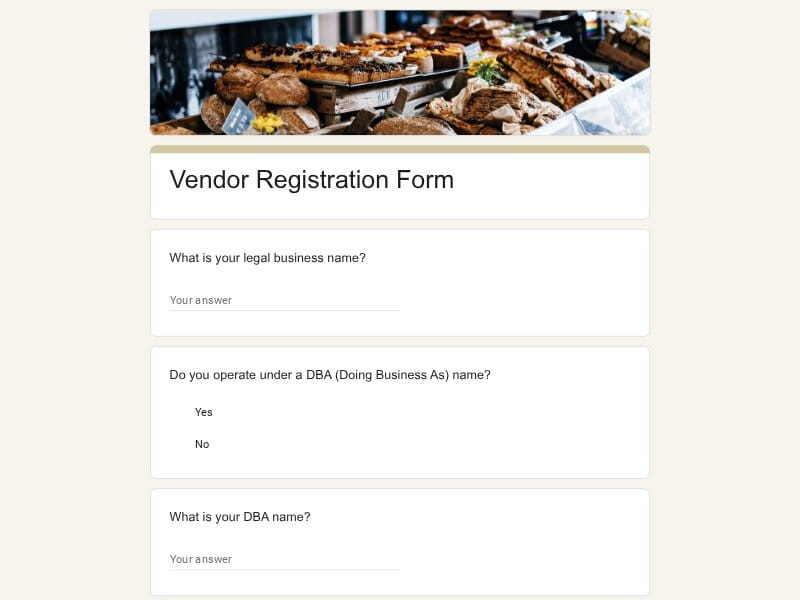
This ready-to-use Google Forms template helps businesses onboard new vendors faster while keeping registration data organized, searchable, and easy to export to Excel, Google Sheets, or PDF files.
A vendor registration form is a document used to gather information from suppliers, service providers, contractors, exhibitors, and other businesses that want to work with an organization. It creates a standardized process for collecting company details, contact information, certifications, product categories, payment requirements, and supporting documentation before a vendor is approved.
A structured registration process helps organizations screen applicants, verify business qualifications, reduce manual data collection, and create a consistent experience for every new vendor. In Google Forms, teams can collect responses through a single shareable form, organize submissions automatically, review supporting documents, and maintain a searchable vendor database in Google Sheets as applications grow over time.
A well-structured vendor registration form should help organizations evaluate potential suppliers, verify business information, collect operational details, and maintain accurate records. The goal is to gather enough information for onboarding and decision-making without making the registration process unnecessarily complicated.
| Section | What to Include | Example Questions |
|---|---|---|
| Business Information | Core company identification details used to establish who the vendor is and how the business is legally registered. |
What is your legal business name? What type of business entity do you operate? When was your company established? Do you operate under a trade or DBA name? |
| Primary Contact Details | Information for the individual responsible for communication during registration and future business activities. |
Who is the primary contact person? What is their job title? What email address should we use for correspondence? What phone number can we use to reach you? |
| Business Address | Physical, mailing, and operational location details that may be required for contracts, shipping, or verification purposes. |
What is your business address? Is your mailing address different from your physical address? Which country and region do you primarily operate in? Do you maintain multiple business locations? |
| Products or Services Offered | Description of what the vendor provides and the categories that best match their offerings. |
What products or services does your company provide? Which categories best describe your offerings? What industries do you typically serve? Please provide a brief company overview. |
| Industry Experience | Background information that helps assess expertise, stability, and operational capacity. |
How many years have you been in business? What types of clients do you typically work with? What is your average project or order size? Can you provide examples of recent work? |
| Licenses and Certifications | Professional qualifications, permits, and certifications required for compliance or industry standards. |
Do you hold any industry certifications? Are all required licenses currently active? Can you provide certification numbers if applicable? Have any certifications expired within the last year? |
| Insurance Information | Coverage details that help organizations evaluate risk and verify vendor readiness. |
Do you carry general liability insurance? What are your coverage limits? When does your policy expire? Can you upload proof of insurance? |
| Payment and Tax Details | Information needed to support purchasing, invoicing, and vendor payment processes. |
What payment methods do you accept? What are your standard payment terms? Do you require deposits or advance payments? Can you provide tax-related documentation if requested? |
| Operational Capacity | Details about production capabilities, service coverage, fulfillment capacity, or business scale. |
What regions do you currently serve? What is your typical turnaround time? Do you have capacity limitations during peak periods? What is your maximum monthly production or service volume? |
| References and Previous Clients | Professional references that help validate reliability and performance. |
Can you provide client references? How long have you worked with your largest client? May we contact your references directly? Can you share examples of similar projects? |
| Event Vendor Requirements | Additional details often needed when the registration is used for fairs, festivals, conferences, or community events. |
Which event are you applying for? What products will you sell or display? Do you require electricity, internet access, or special accommodations? What booth size or setup do you need? |
| Supporting Documents | Files used to verify business legitimacy, qualifications, and operational readiness. |
Please upload your business license. Please upload proof of insurance. Please upload a product catalog or brochure. Please upload any relevant certifications. |
| Terms and Authorization | Confirmation that submitted information is accurate and that the applicant agrees to applicable requirements. |
Do you certify that the information provided is accurate? Do you agree to the vendor terms and conditions? Are you authorized to submit this registration on behalf of your company? Please enter the name of the authorized representative. |
Vendor registration forms are used in many industries because they provide a consistent way to collect business information, evaluate suppliers, and maintain organized records. This template can support both one-time registration initiatives and ongoing vendor management programs.
Create a standardized onboarding process for suppliers, collect qualification data, compare submissions consistently, and maintain a centralized vendor database.
Establish a professional process for evaluating new vendors without investing in specialized procurement software or complex onboarding systems.
Manage approved supplier programs, reduce administrative work, and ensure required information is collected before vendors begin providing products or services.
Register food vendors, exhibitors, sponsors, marketplace participants, artisans, and service providers for upcoming events while keeping applications organized.
Evaluate product suppliers, wholesalers, manufacturers, distributors, and marketplace sellers before establishing vendor relationships.
Collect information from contractors, subcontractors, maintenance providers, landscaping companies, cleaning vendors, and specialized service providers.
Maintain approved supplier lists and gather documentation from vendors that provide educational materials, technology, catering, transportation, and facility services.
Register suppliers and service providers while maintaining transparent records that support procurement policies and reporting requirements.
Gather information from equipment suppliers, service vendors, contractors, consultants, and other providers that support operational needs.
Collect compliance information, certifications, licenses, and required documentation before vendors participate in purchasing opportunities.
Evaluate raw material suppliers, component manufacturers, logistics providers, and production partners through a consistent registration process.
Capture information related to certifications and supplier classifications while expanding opportunities for qualified businesses.
Google Forms provides a practical way to collect vendor information, manage registrations, and organize onboarding data without requiring dedicated vendor management software. For many organizations, it offers the right balance of flexibility, accessibility, and ease of administration.
New vendors can complete registration online from any device, reducing paperwork and making it easier to collect information from suppliers regardless of location.
Every section can be customized to match procurement policies, supplier requirements, event applications, contractor screening processes, or industry-specific compliance needs.
Using a standardized form ensures every vendor submits the same core information, making applications easier to review, compare, and approve.
Submissions are stored in one place, helping teams manage vendor records, monitor registration activity, and reduce manual administrative work.
Responses can be sent directly to Google Sheets, allowing teams to filter applications, track approvals, evaluate vendors, and build supplier databases.
Vendors can submit supporting documents such as licenses, insurance certificates, catalogs, permits, and compliance documentation alongside their registration.
The same template can be adapted for suppliers, contractors, consultants, exhibitors, service providers, wholesalers, manufacturers, and event vendors.
Purchasing managers, operations teams, finance departments, and event coordinators can access and review submissions without maintaining separate systems.
Registration data can be analyzed in Google Sheets, shared with stakeholders, exported for Excel-based reporting, or incorporated into PDF documentation workflows when needed.
A clean form design creates a more professional registration experience while helping vendors understand exactly what information is required.
Choose your platform and follow the steps to get your vendor registration form live in minutes.
Install Google Forms from the App Store. You'll need iOS 16 or later.
Open the app and sign in with your Google account. This is required to save and share forms.
Tap the template in the list.
Edit any question, add your flavor options, update the design theme and colors — all from within the app.
Tap the Share button (top right). Choose how to distribute your form:
The template is instantly copied to your Google Drive — no manual setup needed. You must be signed in to your Google account for this to work.
Auto-copied to Google DriveEdit question text, add your actual flavor options, adjust dropdowns, and personalize the form to your bakery.
Toggle "Required" on essential fields — name, email, order date, and quantity — so no key detail is missed.
Use Google Forms' built-in sharing to distribute your form via URL, embed it on a site, or generate a printable QR code.
Responses appear in real time in the Responses tab, or link to Google Sheets for a full sortable order spreadsheet.
Make sure you're signed in to Google before clicking the button. The form opens directly in Google Forms in your browser — no app download needed.
Choose a ready-made template for your needs and customize it in just a few minutes.

Scan to use Google Forms on iPhone or iPad!