
Every property showing is an opportunity to learn what buyers are thinking. This Google Forms template helps you collect structured feedback that makes it easier to evaluate visitor impressions, improve future open houses, and support better real estate decisions.
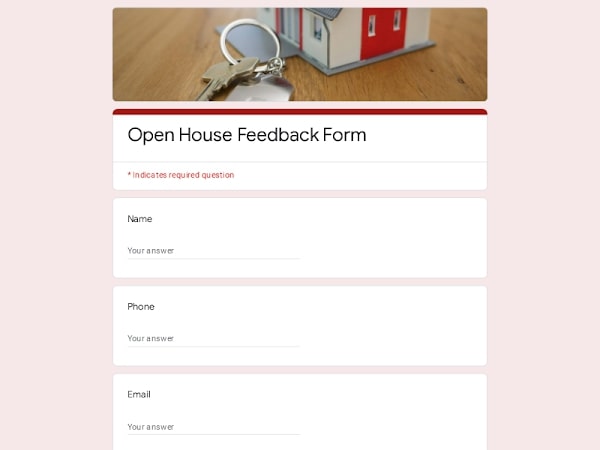
This ready-to-use Google Forms template includes thoughtfully prepared questions for collecting consistent visitor feedback after a property showing. Customize the editable form for any listing, share it with guests using a link or QR code, and automatically organize every response. Results can also be exported to Excel, Google Sheets, or PDF for reporting, seller updates, or further analysis.
An open house feedback form is a structured survey used to gather visitor opinions after a property showing. Rather than relying on informal conversations, it gives real estate professionals a consistent way to understand how buyers perceive a home, identify recurring concerns, and evaluate whether the property's presentation aligns with market expectations.
Realtors, brokers, real estate agents, property managers, and homeowners commonly use this type of questionnaire to compare feedback across multiple open house events. The collected responses can help improve staging, pricing strategy, marketing materials, and follow-up conversations with interested buyers while providing valuable insights that may otherwise be overlooked.
A well-designed questionnaire should guide visitors through the most important aspects of their experience without feeling overwhelming. The goal is to gather consistent, useful feedback that helps real estate professionals understand buyer preferences, identify potential objections, and evaluate how a property compares with competing listings.
| Section | What to include | Example questions |
|---|---|---|
| Visitor Profile | Basic information about the visitor and their current buying situation. This helps prioritize follow-ups and better understand who attended the open house. |
• Are you currently looking to purchase a home? • Are you working with a real estate agent? • How soon are you planning to buy? • Would you like us to contact you after the event? |
| First Impression | Questions about the visitor's immediate reaction when touring the property. First impressions often influence buying decisions. |
• What was your first impression of the property? • Did the home meet your expectations? • How would you rate your overall experience? • What stood out to you first? |
| Property Features | Feedback on layout, design, room sizes, finishes, outdoor spaces, and overall condition of the home. |
• Which features did you like most? • Was the floor plan practical for your needs? • How would you rate the overall condition of the property? • Were there any areas that impressed you? |
| Concerns & Objections | Identify issues that could prevent a buyer from making an offer or scheduling another viewing. |
• Did you notice any concerns during your visit? • Was there anything you disliked about the home? • What would make this property more appealing? • Did anything discourage you from considering this home? |
| Price & Value | Understand whether visitors believe the listing price matches the property's perceived value compared with similar homes. |
• Does the asking price seem reasonable? • How does this property compare with others you've visited? • Would the current price affect your decision? • What price range do you think best reflects this home? |
| Purchase Interest | Measure buying intent and identify visitors who may be ready for the next step. |
• Would you consider making an offer? • Would you schedule another viewing? • Are you interested in receiving additional property information? • How likely are you to recommend this property to someone else? |
| Additional Comments | Allow visitors to provide detailed observations or suggestions that may not fit into predefined questions. |
• Is there anything else you'd like to share? • What could improve future open house events? • Was any important information missing during your visit? • Do you have any additional feedback for the realtor or broker? |
Open house visitors are much more likely to complete a short digital survey while the property is still fresh in their minds. Google Forms makes the entire feedback process faster for both visitors and real estate professionals by simplifying data collection, organization, and follow-up.
Start with a professionally structured template instead of creating a questionnaire from scratch. Simply customize the editable questions for a specific property, update branding if needed, and share the form before or during the open house.
Guests can submit feedback from any smartphone, tablet, or computer using a simple link or QR code. The clean interface encourages higher completion rates without requiring visitors to install additional apps.
Using the same form for multiple properties makes it easier to compare buyer impressions, identify recurring concerns, and evaluate which listings generate the strongest interest over time.
Every submission is stored automatically, eliminating manual data entry. Responses remain organized in one place, making it easier for a realtor, broker, or agent to review feedback after each showing.
When additional analysis or client reporting is needed, responses can be exported to Excel, Google Sheets, or PDF. This makes it simple to summarize visitor feedback, share results with sellers, or keep records for future reference.
Each listing is different. Google Forms lets you quickly edit questions, add or remove sections, adjust answer types, and personalize the survey without rebuilding the entire form.
Choose your platform and follow the steps to get your Open House feedback form live in minutes.
Install Google Forms from the App Store. You'll need iOS 16 or later.
Open the app and sign in with your Google account. This is required to save and share forms.
Tap the template in the list.
Edit any question, add your flavor options, update the design theme and colors — all from within the app.
Tap the Share button (top right). Choose how to distribute your form:
The template is instantly copied to your Google Drive — no manual setup needed. You must be signed in to your Google account for this to work.
Auto-copied to Google DriveEdit question text, add your actual flavor options, adjust dropdowns, and personalize the form to your bakery.
Toggle "Required" on essential fields — name, email, order date, and quantity — so no key detail is missed.
Use Google Forms' built-in sharing to distribute your form via URL, embed it on a site, or generate a printable QR code.
Responses appear in real time in the Responses tab, or link to Google Sheets for a full sortable order spreadsheet.
Make sure you're signed in to Google before clicking the button. The form opens directly in Google Forms in your browser — no app download needed.
Choose a ready-made template for your needs and customize it in just a few minutes.
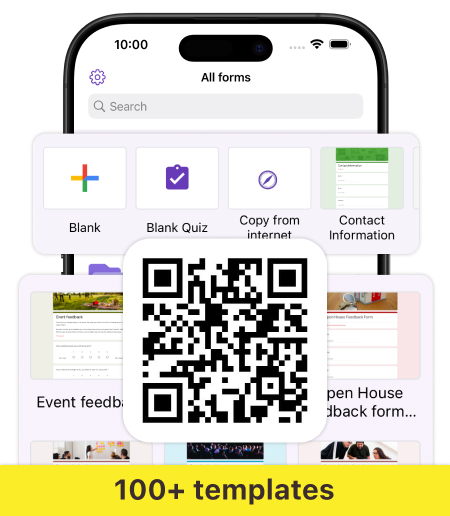
Scan to use Google Forms on iPhone or iPad!